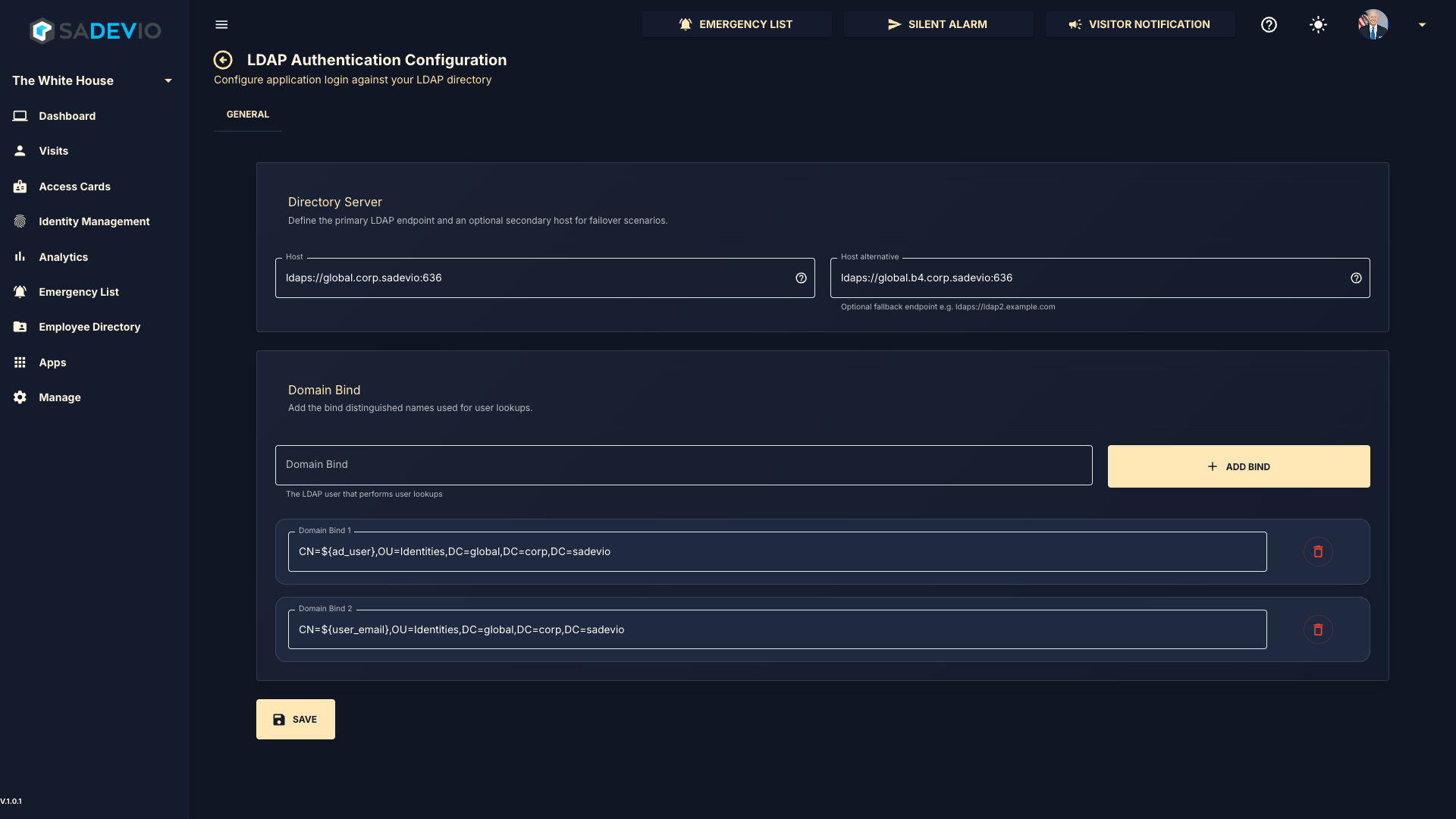
LDAP Login Configuration
Directory Server
In the top section, enter your LDAP server address using either the DNS name or IP address, followed by the port.
Example:ldaps://global.corp.sadevio:636
You may also define an optional secondary (fallback) LDAP server for redundancy.
Domain Bind Configuration
In the bottom section, you can configure one or more Domain Bind entries. These are used to construct the distinguished name (DN) for user lookup during authentication.
The system supports the following user identification formats:
- Down-Level Logon Name
NetBIOSDomainName\sAMAccountName
Example:domain\usernameorusername@domain - User Principal Name (UPN)
Example:username@abc.com - Distinguished Name (DN)
Example:CN=username,OU=Users,DC=abc,DC=com - Object SID
Example:S-1-5-21-3623811015-3361044348-30300820-1013
Dynamic User Variables
You can use placeholders in your Domain Bind configuration to dynamically insert user values:
${user_name}→ Inserts the username${user_email}→ Inserts the user’s email address${ad_user}→ Inserts the user’s ad user field
Example Domain Bind
CN=${user_name},OU=Staff,OU=Identities,DC=global,DC=corp,DC=sadevio
Notes
- Multiple Domain Bind entries can be added to support different login formats.
- The system will attempt each bind configuration until authentication succeeds.
- Ensure that your LDAP server supports LDAPS (recommended for secure communication)