# LDAP Login Configuration
### **Directory Server**
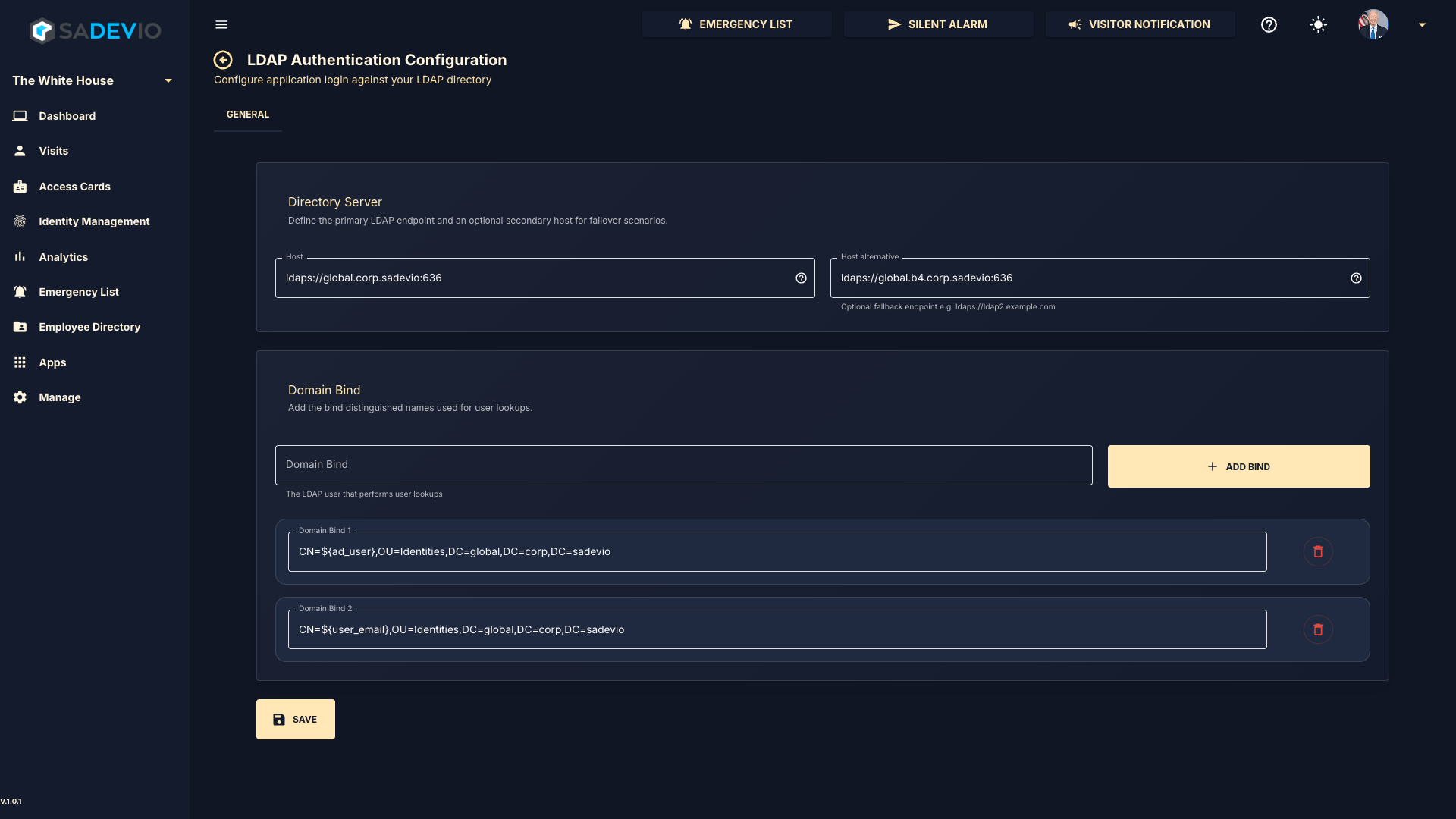
In the top section, enter your LDAP server address using either the DNS name or IP address, followed by the port.
**Example:**
`ldaps://global.corp.sadevio:636`
You may also define an optional secondary (fallback) LDAP server for redundancy.
---
### **Domain Bind Configuration**
In the bottom section, you can configure one or more **Domain Bind** entries. These are used to construct the distinguished name (DN) for user lookup during authentication.
The system supports the following user identification formats:
- **Down-Level Logon Name**
`NetBIOSDomainName\sAMAccountName`
Example: `domain\username` or `username@domain`
- **User Principal Name (UPN)**
Example: `username@abc.com`
- **Distinguished Name (DN)**
Example: `CN=username,OU=Users,DC=abc,DC=com`
- **Object SID**
Example: `S-1-5-21-3623811015-3361044348-30300820-1013`
---
### **Dynamic User Variables**
You can use placeholders in your Domain Bind configuration to dynamically insert user values:
- `${user_name}` → Inserts the username
- `${user_email}` → Inserts the user’s email address
- `${ad_user}` → Inserts the user’s ad user field
---
### **Example Domain Bind**
---
### **Notes**
- Multiple Domain Bind entries can be added to support different login formats.
- The system will attempt each bind configuration until authentication succeeds.
- Ensure that your LDAP server supports LDAPS (recommended for secure communication)
[](https://help.sadevio.com/uploads/images/gallery/2026-04/image.png)