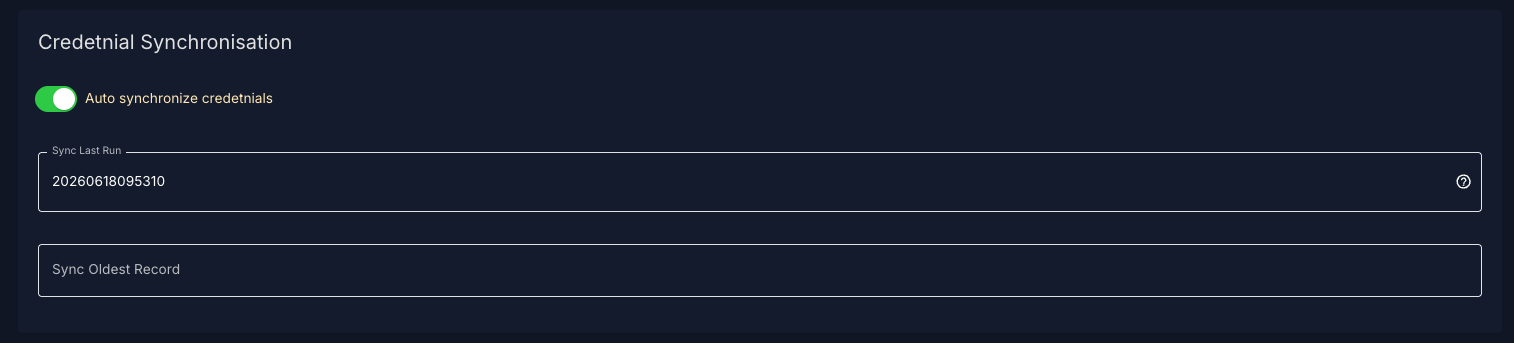
Configuration
The Siport to Schindler connector synchronizes changed Siport cardholders into Schindler. The connector reads users, cards, profiles, templates, and validity information from Siport and creates, updates, or removes the corresponding cardholder in Schindler.
The synchronization normally runs automatically in the background. Each run only reads changed Siport records since the last successful run.
Connect Systems
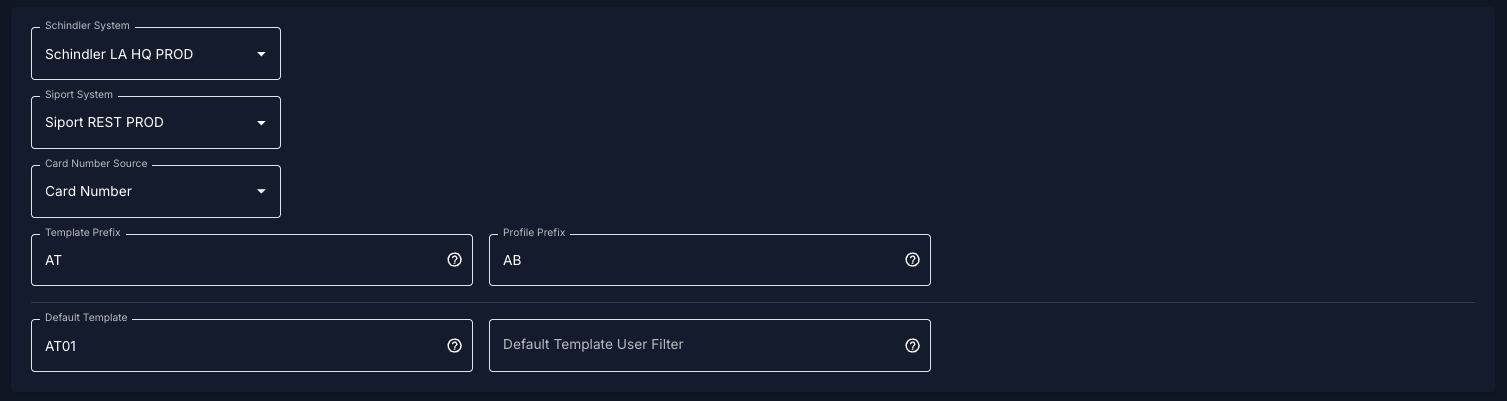
Schindler System
Select the Schindler access system that should receive the synchronized users.
Siport System
Select the Siport system that should be used as the source system.
Card Number Source
This setting defines which Siport card field is used as the Schindler credential.
Available options:
| Option | Meaning |
| Card Number | Uses the Siport card number |
| UID Value | Uses the Siport UID value of the card |
The selected value is used as the Schindler card identity for normal card users.
Example:
If Card Number is selected and the Siport card number is 123456, the Schindler user is created or updated using 123456.
If UID Value is selected and the Siport UID is 04AABBCC, the Schindler user is created or updated using 04AABBCC.
Template Prefix
The template prefix defines which Siport profiles should be interpreted as Schindler templates.
Example:
Template Prefix: AT
If a Siport user has a profile called:
AT01
the connector treats AT01 as a Schindler template name.
The template must exist in Schindler with the same name. If the template does not exist in Schindler, it is skipped.
Profile Prefix
The profile prefix defines which Siport profiles should be interpreted as additional Schindler access profiles.
Example:
Profile Prefix: AB
If a Siport user has a profile called:AB01
the connector tries to assign the matching Schindler access profile.
For Schindler profile matching, the connector uses this format:Siport profile name - Siport profile description
Example:AB01 - Main Entrance
The matching access profile must exist in Schindler.