
Setting Up the Kiosk
⚠️ Important Safety Notice (Before Setup)
-
The transport wheels must be removed before operating the kiosk.
The wheels are for transportation only and must not be used during normal operation.
Power Connection
-
On the lower back side of the kiosk, you will find a small access door.
-
Behind this door are:
-
Power plug
-
Ethernet input
-
Power switch
-
-
Connect the power cable to the kiosk.
-
Turn the power switch to ON.
Network Connection
We strongly recommend using a wired Ethernet connection for best reliability.
Ethernet Connection (Recommended)
-
On the lower back side of the kiosk, connect the Ethernet cable to the Ethernet port.
-
Configure the network settings on the kiosk:
-
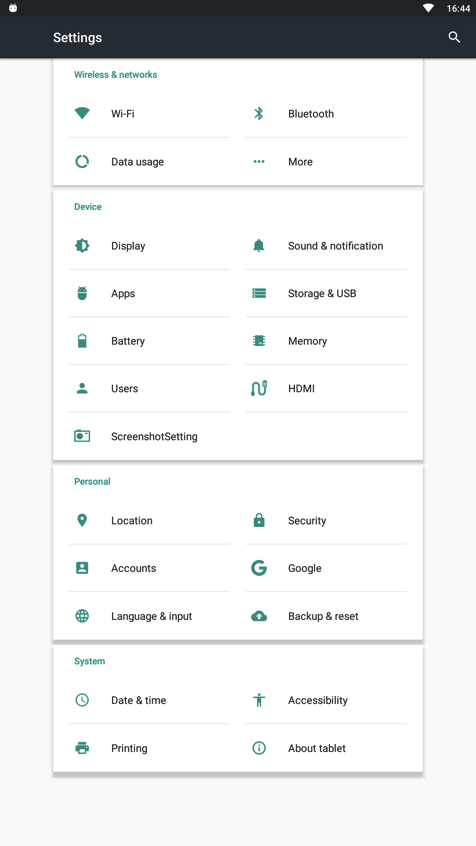
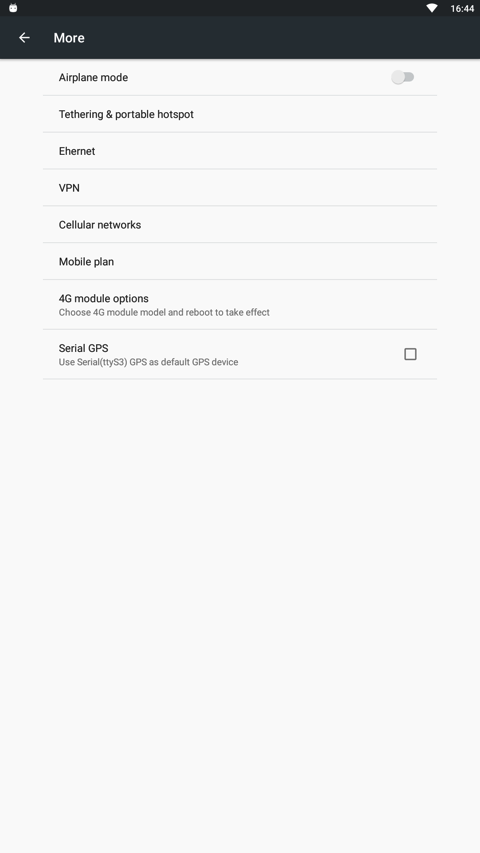
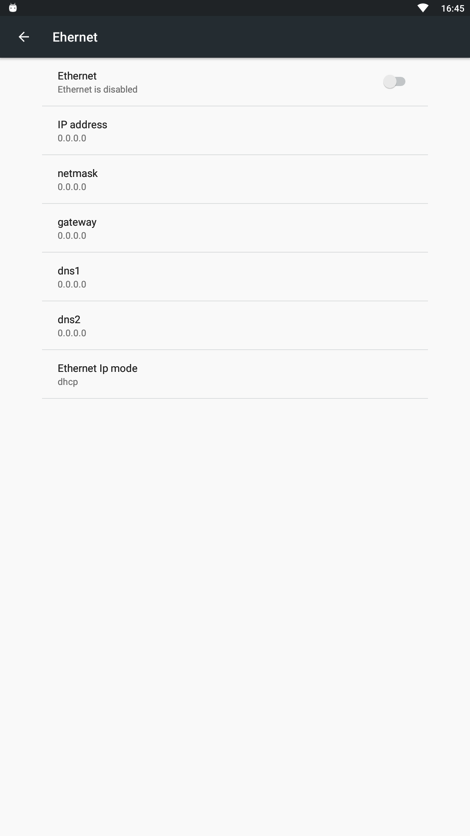
Go to Settings → More → Ethernet
-
-
Activate the Ethernet connection.
-
Configure your network-specific settings (e.g. DHCP or static IP).
📌 Recommendation:
If you are using a wired Ethernet connection, we recommend disabling Wi-Fi.
Wi-Fi Connection (Optional)
If Ethernet is not available, Wi-Fi can be used.
-
Go to Settings → Wi-Fi
-
Enable Wi-Fi
-
Select the Wi-Fi network you want to connect to
-
Enter the password if required
- Verify that the Wi-Fi connection is successfully established